
TL;DR
- There is no single best porn blocker app for everyone. The right choice depends on your devices, privacy needs and accountability plan.
- HAJR fits people who want iPhone blocking alongside check-ins, journaling and recovery tracking.
- Covenant Eyes and Ever Accountable fit people who want structured visibility to a trusted ally.
- Canopy focuses on real-time content filtering across device types.
- BlockerX combines dedicated blocking, partner features and recovery content across several platforms.
- Freedom is a broader distraction blocker, not a porn-recovery or screen-accountability product.
- No blocker is impossible to bypass. Test it safely and combine it with a wider recovery plan.
The best porn blocker apps do not all work the same way. Some block known adult domains. Some analyze content as it loads. Others share activity with a trusted person. A few combine blocking with recovery routines.
That difference matters more than a star rating. First decide whether you need private self-blocking, cross-device filtering, formal accountability or broader distraction control. Then choose the product that matches that job.
Disclosure: HAJR publishes this comparison and makes one of the products listed. We do not receive affiliate commissions from any company in this guide. Product facts come from official documentation reviewed on August 13, 2026. Features and prices can change.
The short answer: which blocker fits which need?
| Option | Best fit | Main approach | Device coverage | Accountability | Important limitation |
|---|---|---|---|---|---|
| HAJR | iPhone-centered recovery | iOS adult filtering, selected app/site blocking and locked sessions | iPhone; separate Chrome extension | Optional partner alerts exist in the separate Chrome product | Not a unified multi-platform reporting service |
| Covenant Eyes | Formal ally reporting and household coverage | Filtering plus Screen Accountability | iOS, Android, Mac and Windows | Detailed ally model with activity feed | More sensitive data sharing; explicitly Christian service |
| Ever Accountable | Screen accountability across devices | On-device analysis and reports to chosen partners | iOS, Android, Mac, Windows and Chromebook | Core product purpose | Reporting is different from hard blocking; verify platform coverage carefully |
| Canopy | Real-time filtering across several device types | AI-assisted content filtering plus app/site controls | iOS, Android, Mac, Windows and ChromeOS | Current plans list accountability controls | Product is also built heavily around family management |
| BlockerX | Dedicated blocking with recovery extras | Domain, keyword and image controls plus blocklists | iOS, Android, Chrome, Mac and Windows | Partner tools and removal alerts on paid plans | Features and enforcement differ by platform |
| Freedom | Porn as part of a wider distraction problem | Scheduled app and website blocklists | iOS, Android, Mac, Windows and Chromebook/Linux | No formal activity-reporting system | General focus tool, not a dedicated recovery product |
This table is a starting point, not a universal ranking. Platform limits can change what each product can see or block—especially on iPhone.
How we compared these porn blocking apps
We compared current first-party documentation against seven practical questions:
- What does it block? Known domains, images, websites, apps or broader internet access.
- Where does it work? Phone, desktop, browser and household coverage.
- How easy is it to change? Passcodes, locked sessions and removal protection.
- What does another person see? Disable alerts, domain activity, screenshots or reports.
- What data leaves the device? An important privacy question for sensitive browsing data.
- Does it support recovery? Check-ins, journals, community or educational material.
- What does payment cover? One device, several devices, a household or premium features.
We did not install every product or claim a controlled hands-on test. Official product pages can omit real-world gaps, so use the trial period when available. Test only with harmless websites that you add manually.
1. HAJR: best fit for iPhone blocking plus recovery routines
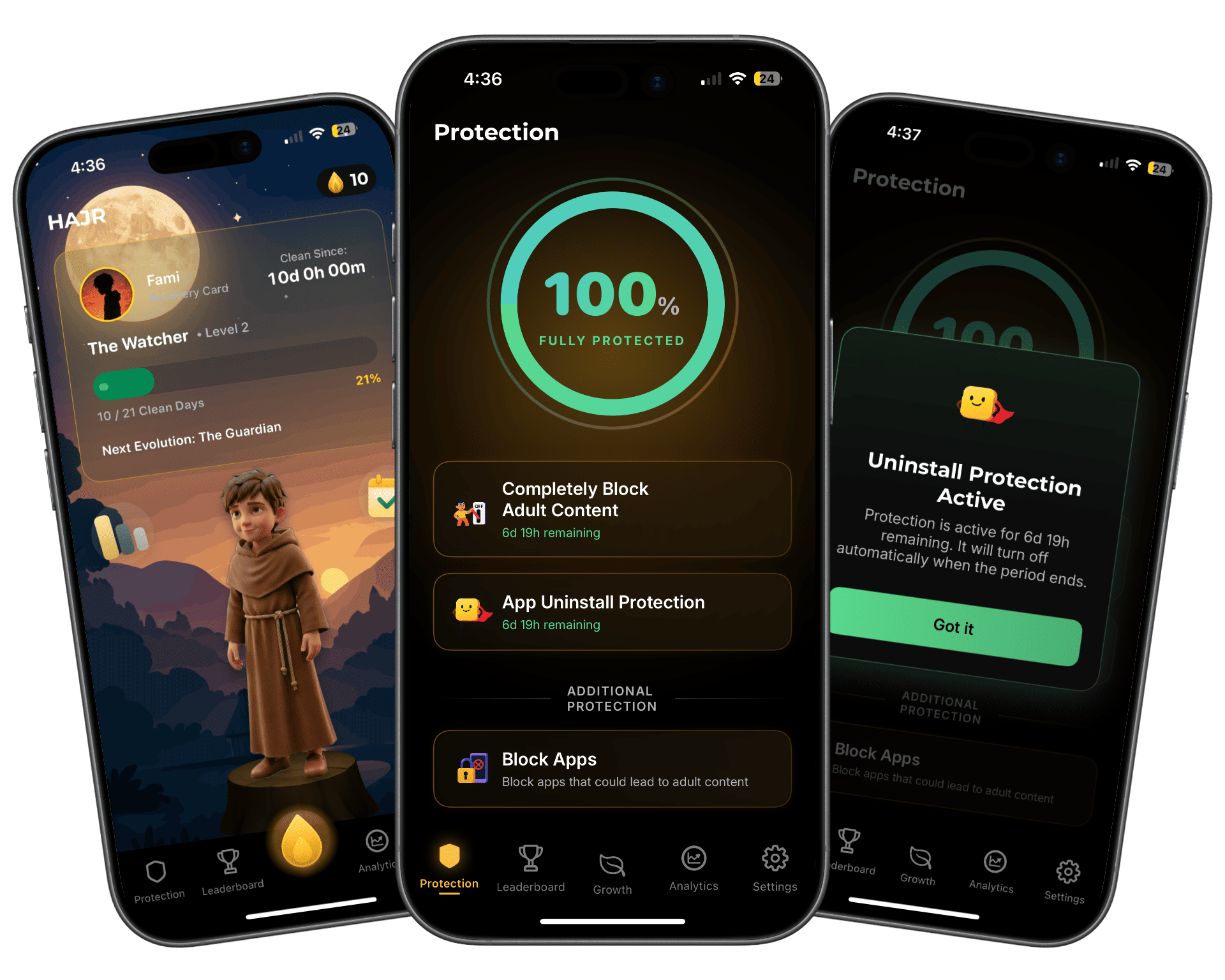
HAJR combines adult-content filtering with selected app and website blocking through privacy-preserving iOS device-control frameworks. It also includes protected sessions, uninstall protection, daily check-ins, private progress tracking and a gamified recovery journey.
Why choose HAJR instead of a basic blocker?
For an iPhone user trying specifically to quit pornography, HAJR's advantage is that protection and recovery live in the same product. The protection side filters adult websites, blocks selected trigger apps and sites, and lets the user choose periods when safeguards cannot be weakened from within HAJR. Timed uninstall protection addresses the moment when someone may otherwise remove a blocker impulsively. The recovery side adds daily check-ins, journaling, calendar-based progress, streaks and optional community motivation. This makes HAJR more than a list of blocked domains: it creates friction during an urge and gives the user a routine to return to afterward. HAJR also follows a private, self-directed iPhone model rather than sending Covenant Eyes-style device screenshots to another person. That combination is the clearest reason to choose HAJR when the primary need is personal iPhone protection plus continued recovery engagement.
Protection that is harder to dismiss during an urge
The main Protection screen brings adult filtering, uninstall protection and trigger-app blocking into one place. It also shows how long the selected protection period remains active.
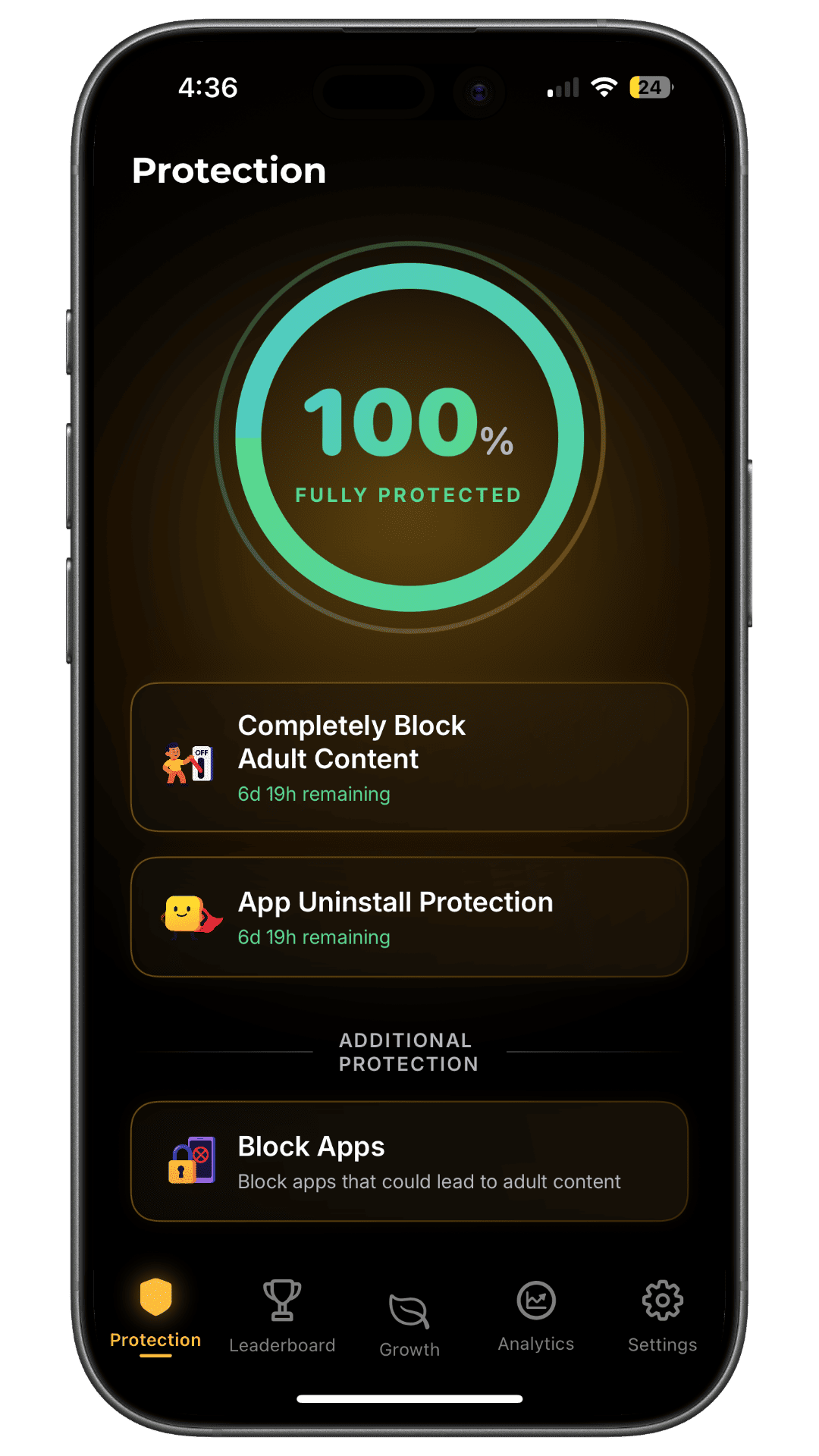
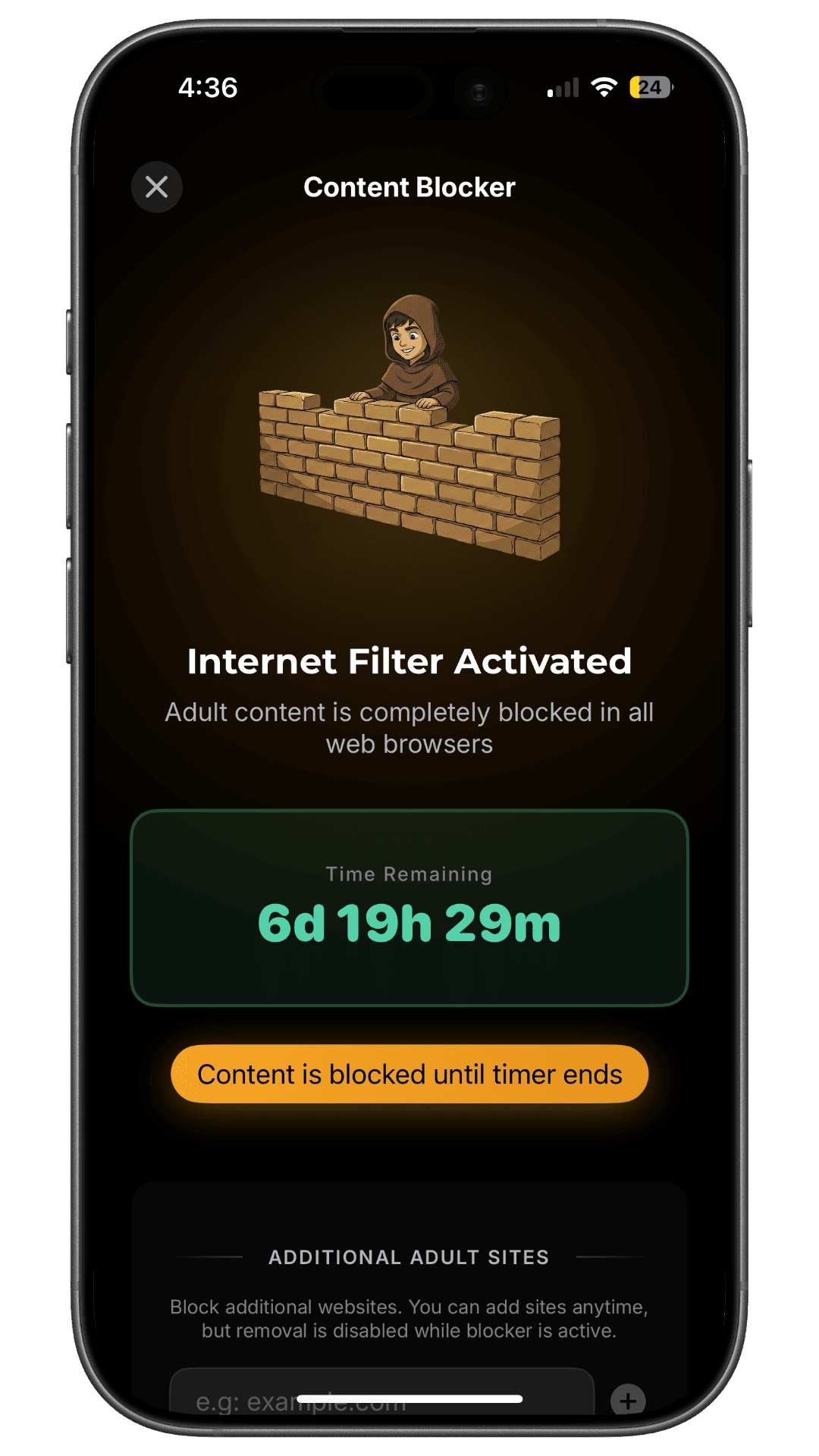
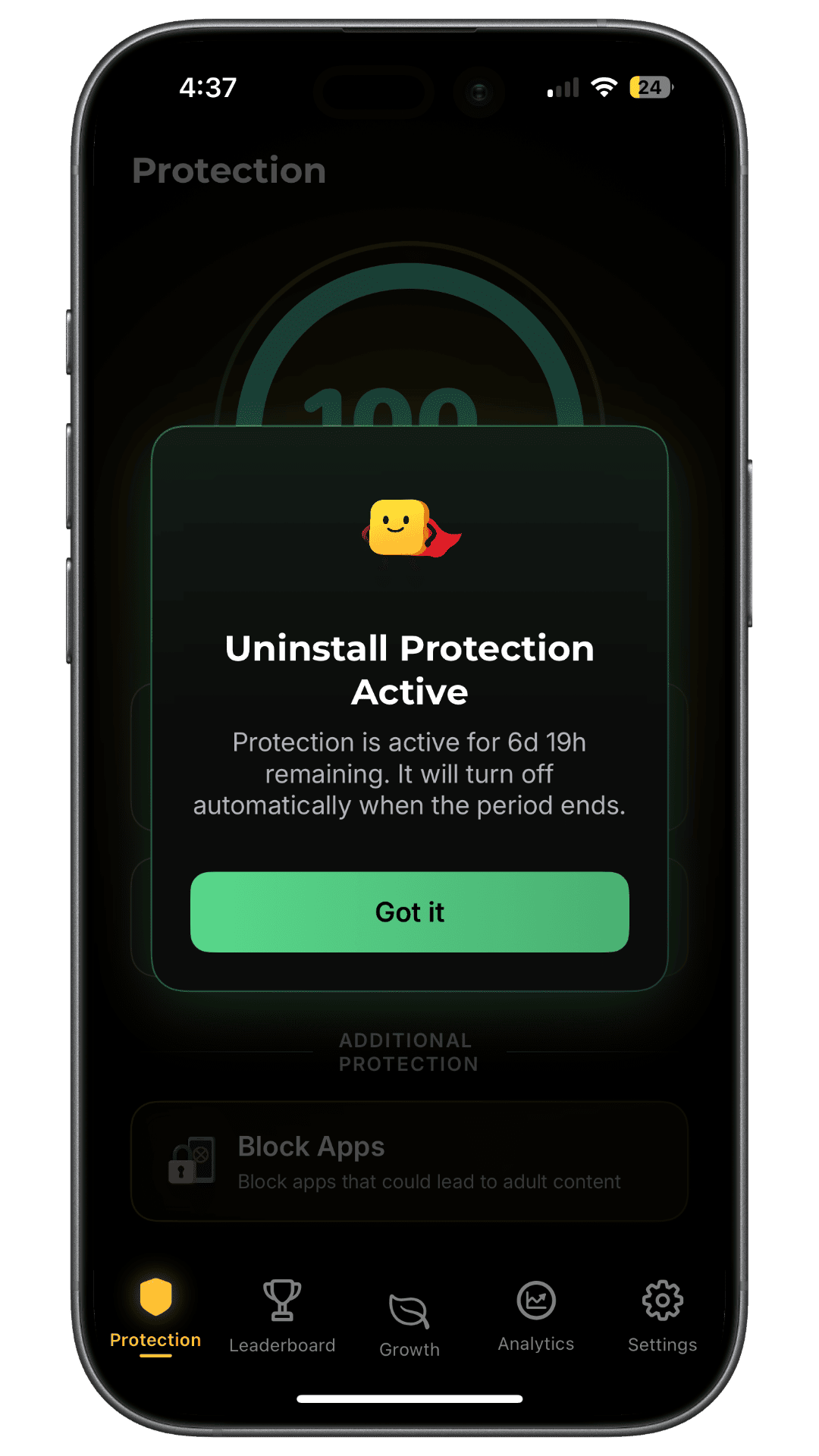
These controls matter because a blocker is weakest when it can be removed or relaxed instantly. HAJR lets the user set a protection period in advance, when they are thinking clearly. The screenshots show the current product design; they do not mean any consumer blocker is impossible to bypass.
A recovery routine after protection is enabled
HAJR does not stop at blocking access. Its daily check-in records whether the user followed their pornography goal and which supportive activity they used. The Analytics calendar makes self-reported progress visible over time.
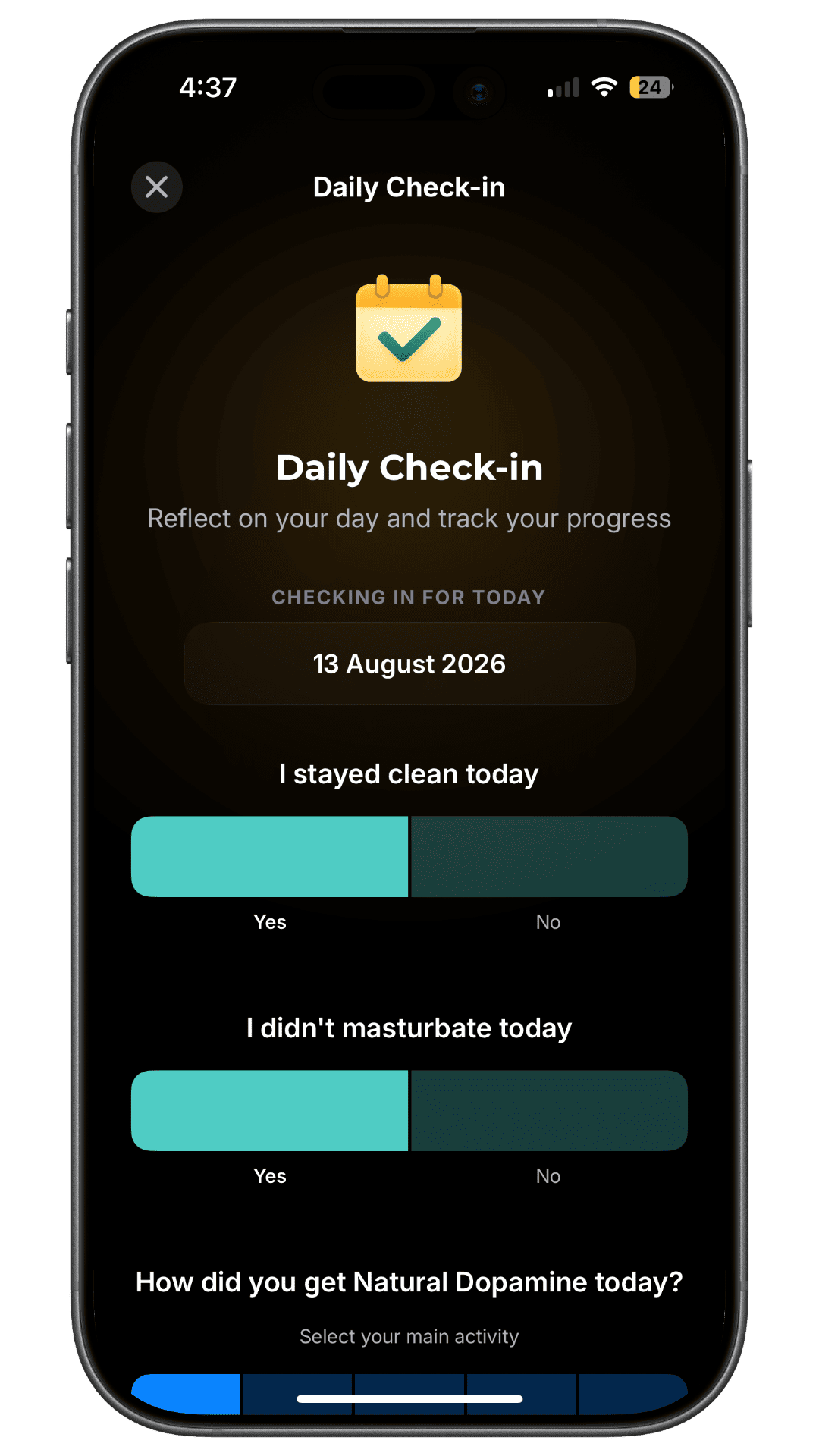
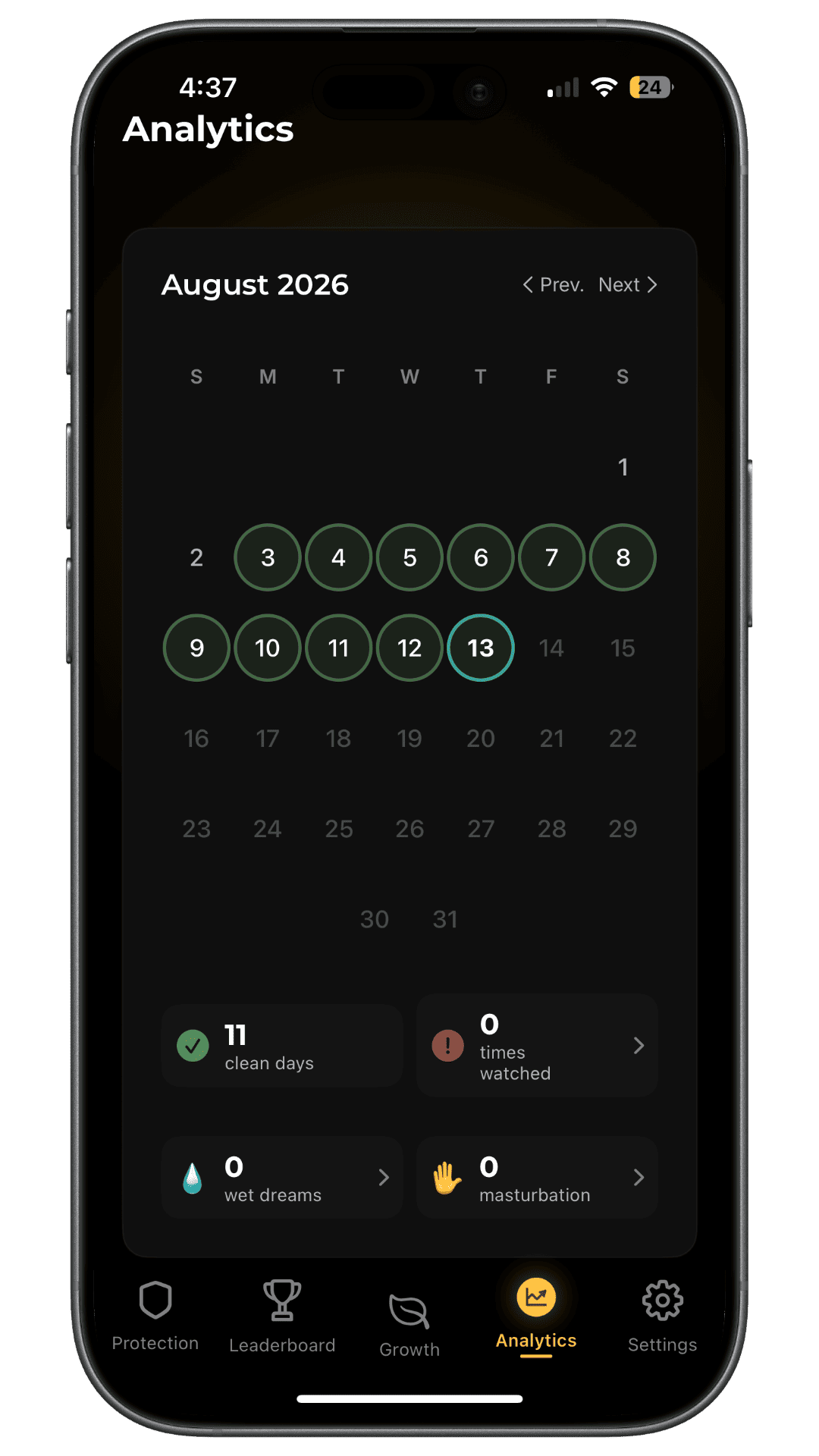
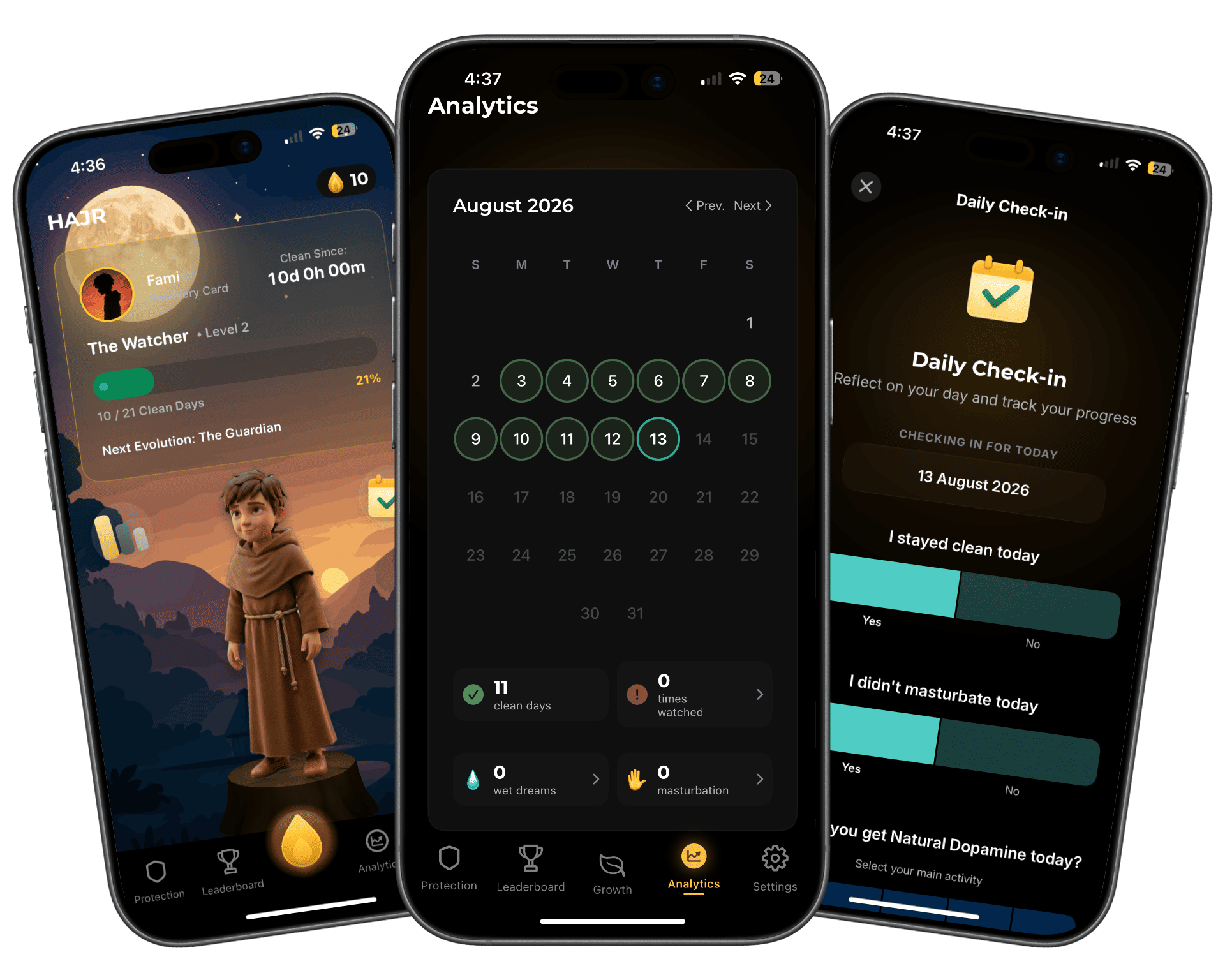
These records are self-reported recovery tools, not clinical measurements. They can help a user notice consistency and patterns, but they do not diagnose a condition or prove neurological recovery.
Motivation without making the blocker feel clinical
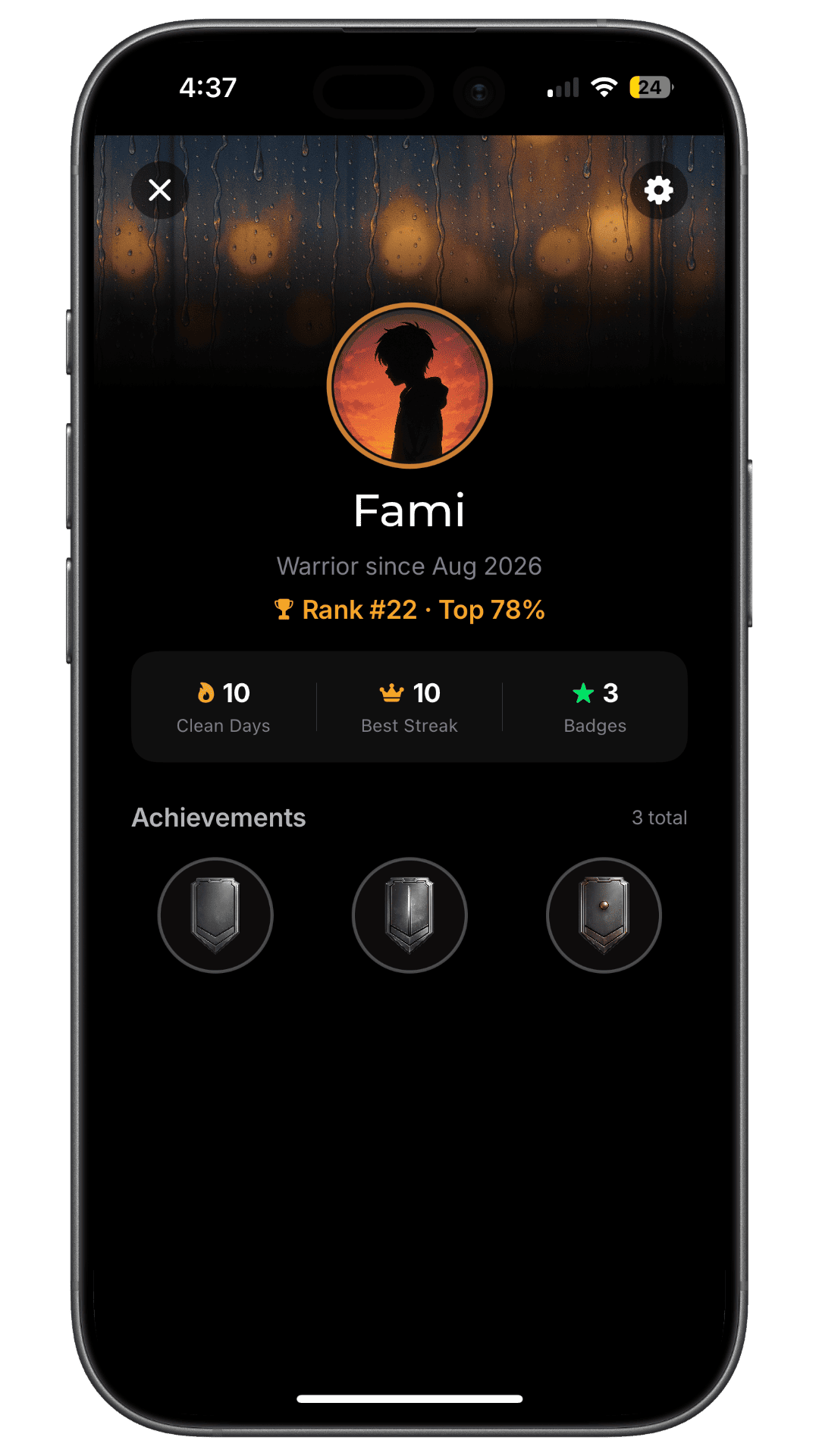
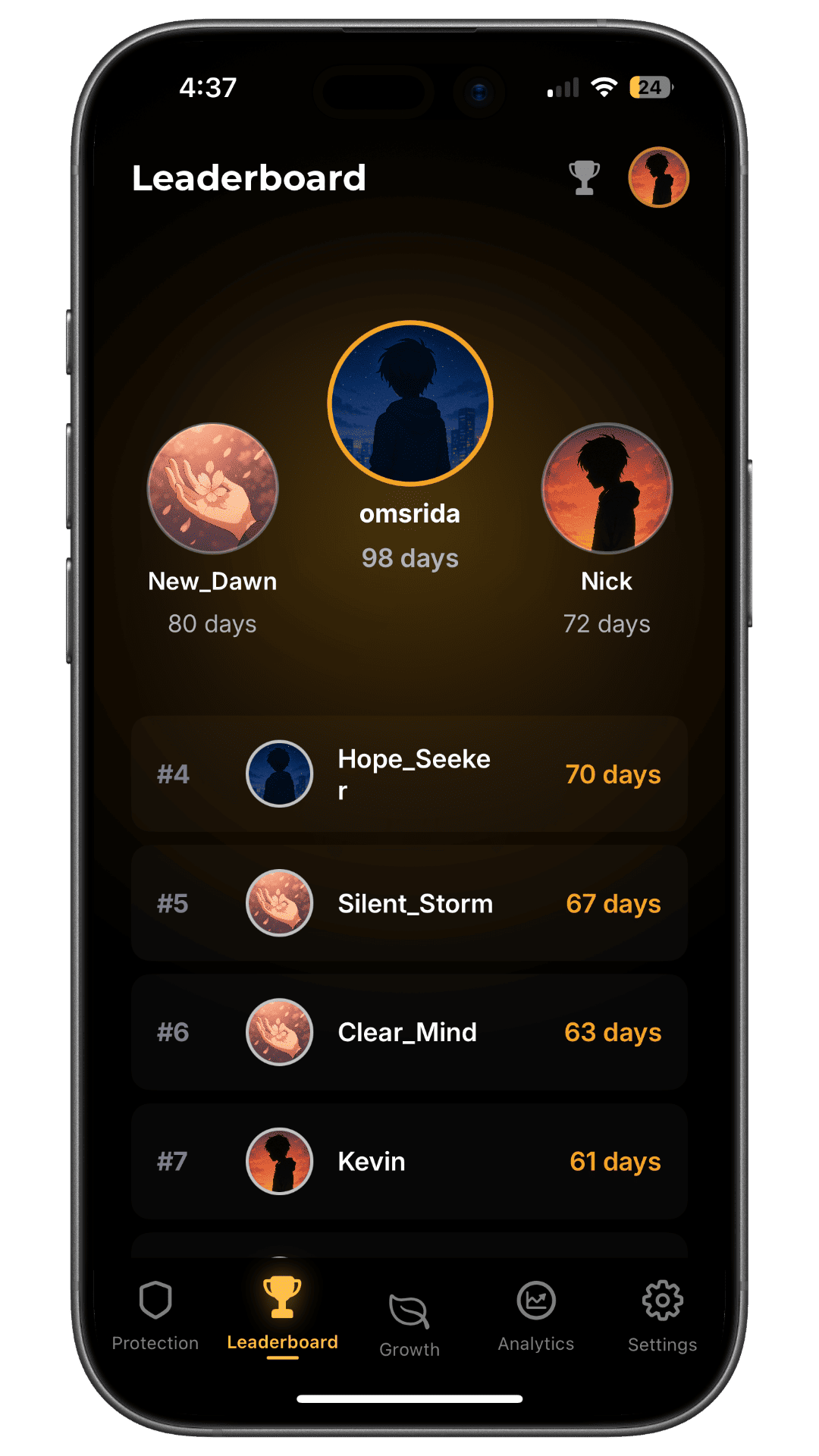
HAJR turns recovery actions into a visible journey through a mascot, levels, achievements, a pseudonymous profile and an optional leaderboard. This can make repeated engagement feel more rewarding than repeatedly opening a settings screen.
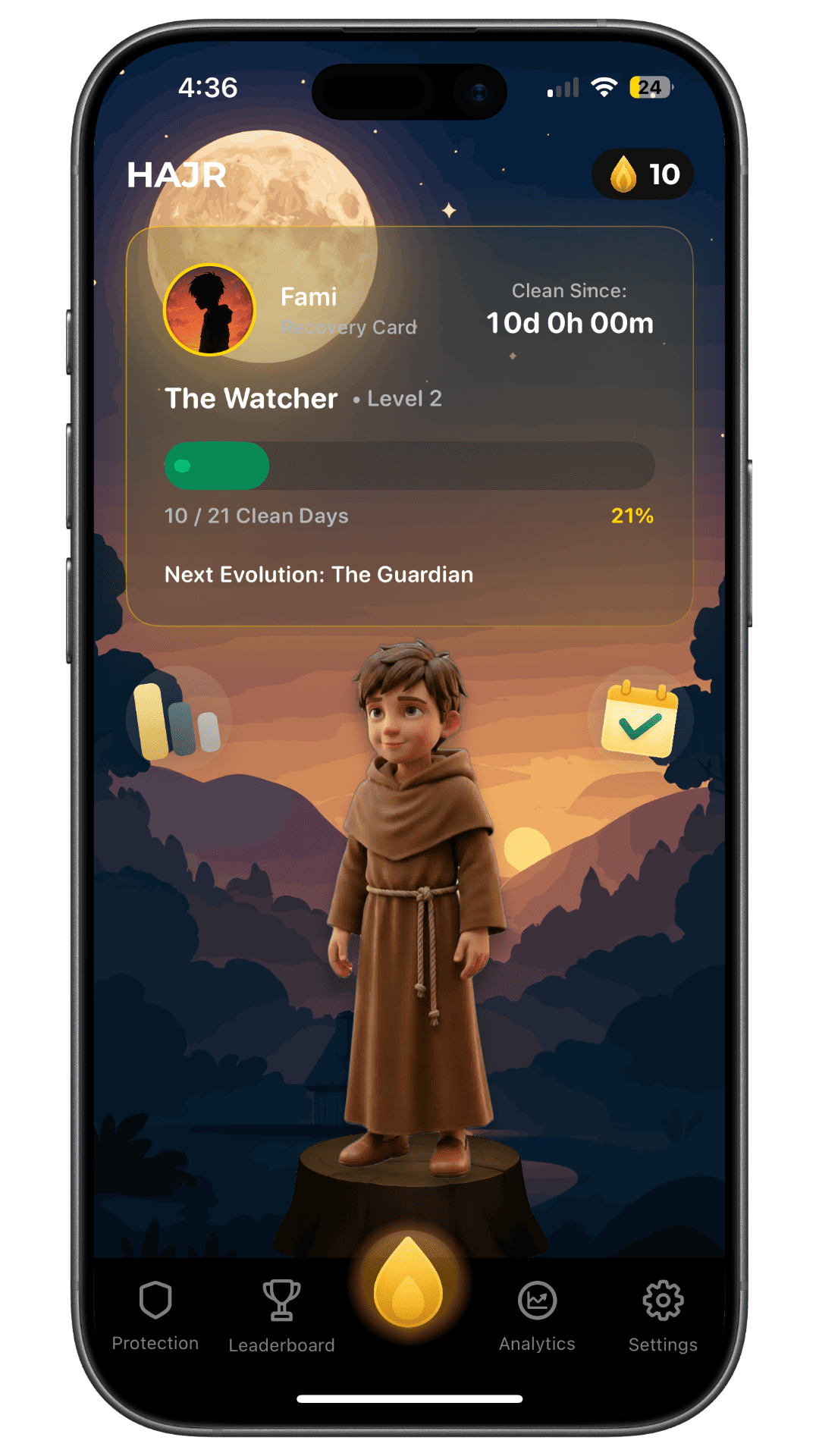
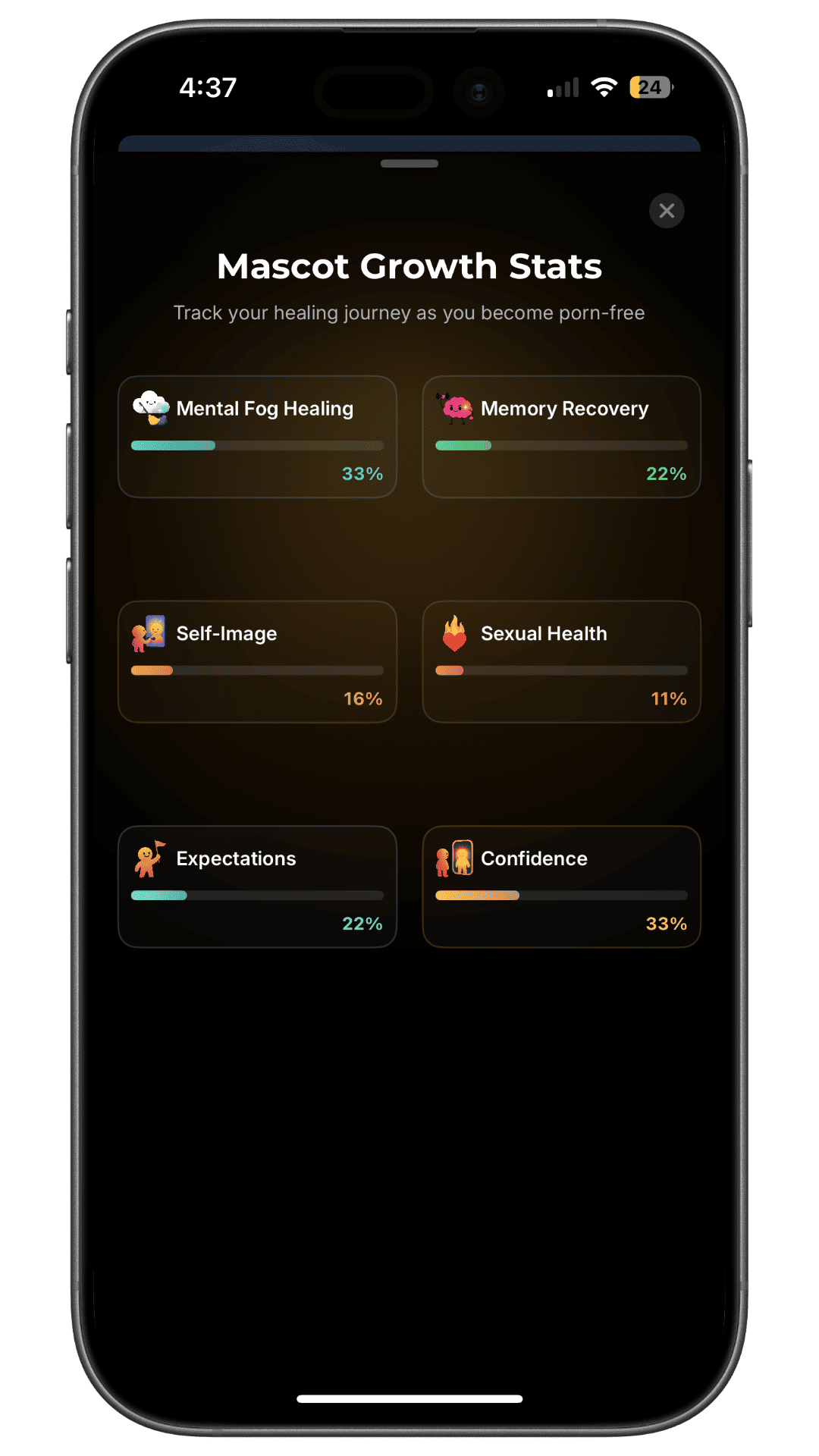
The Growth screen also visualizes several dimensions of the recovery journey. Its percentages should be understood as motivational in-app progression, not measured changes in memory, confidence, brain function or sexual health.
Gamification will not suit everyone. Some people find streaks and community comparison motivating, while others prefer private tools without ranks. HAJR should be chosen for the combination of protection and recovery routines, not because a leaderboard proves one person is recovering better than another.
Privacy model and important limits
HAJR's iPhone app does not provide Covenant Eyes-style screen reports to another person. The separate HAJR Chrome extension can block known adult sites, blur detected explicit images locally, restrict selected trigger platforms and optionally alert an accountability partner.
HAJR is free to download on iPhone, with a subscription required for full access. The App Store or purchase screen shows current regional pricing and trial terms.
Choose HAJR if: your iPhone is the main risk device and recovery check-ins matter alongside blocking.
Look elsewhere if: you need cross-platform screenshot reporting or one plan for a large household.
2. Covenant Eyes: best fit for formal ally accountability
Covenant Eyes combines filtering with Screen Accountability. Its system analyzes sampled screen activity and provides modified activity information to a person the user chooses as an ally.
The company says its current Victory plans cover iPhone, Android, Mac and Windows, with unlimited devices for up to ten users. Its official Victory page currently lists monthly, annual and lifetime payment options.
The main strength is not simply blocking. It is the established ally workflow and activity feed. That can suit an adult who explicitly wants another person involved or a household that needs broad device coverage.
The tradeoff is privacy and complexity. Accountability reports necessarily involve sensitive activity data. Covenant Eyes says images are modified, encrypted and retained for a limited period, but users should still read its current documentation. iPhone coverage also differs from desktop coverage: the company documents screenshots within Safari and broader domain monitoring rather than universal screenshots inside every iPhone app.
Covenant Eyes uses an explicitly Christian recovery model. That may fit some users and exclude others.
Choose Covenant Eyes if: structured reporting to a trusted ally is the central requirement.
Look elsewhere if: you want private self-management or do not want a faith-centered service.
For a narrower decision, read HAJR vs Covenant Eyes.
3. Ever Accountable: best fit for screen accountability across platforms
Ever Accountable is another accountability-first product. It uses on-device analysis and sends activity information to partners selected by the user. Its current product material describes support for iPhone, Android, Mac, Windows and Chromebook.
This makes it relevant when the key question is, “Will another person receive useful visibility?” That is a different product category from a private filter or timed app blocker.
On iPhone, Ever Accountable documents an optional screen-recording approach intended to analyze content shown inside apps. Anyone considering it should read the current setup and privacy details carefully, because screen-level analysis involves broader access than a domain-only filter.
Ever Accountable's official site currently lists monthly and annual subscriptions and a trial. Verify the live checkout before purchase. Its positioning and much of its educational material are Christian, although the practical decision should still focus on consent, device support and report quality.
Choose Ever Accountable if: partner reporting across several device types matters more than private recovery journaling.
Look elsewhere if: you primarily want a strict standalone filter with minimal sensitive reporting.
4. Canopy: best fit for real-time content filtering
Canopy emphasizes content analysis instead of relying only on a fixed list of adult domains. Its current product pages describe AI-assisted filtering, app and website controls, removal prevention and support for iOS, Android, Mac, Windows and ChromeOS.
This approach may catch explicit material on otherwise ordinary sites. It can be useful for users worried about content appearing outside dedicated adult domains. Canopy also has extensive family-management features, and its current adult plans list accountability controls.
There are platform-specific compromises. Canopy's own protection-level documentation says stricter filtering may redirect certain mobile apps to protected web versions. Users should test the exact apps and browsers that create risk for them.
Canopy's official pricing page currently lists individual and multi-device options, a trial and annual plans starting at a displayed monthly equivalent. Prices and feature rollout can change, so confirm them at checkout.
Choose Canopy if: real-time content filtering across several device types is the priority.
Look elsewhere if: you want a lightweight recovery journal or a simpler iPhone setup.
5. BlockerX: best fit for blocking plus community features
BlockerX provides dedicated adult-site blocking, custom blocklists, keyword and image controls, SafeSearch tools and recovery content. Its official pages list iOS, Android, Chrome, Mac and Windows products.
Paid plans currently advertise an accountability partner, removal protection or notifications, syncing, community access and multiple-device support. The Chrome extension listing describes daily partner updates for blocked attempts on premium plans.
This breadth can appeal to someone who wants technical blocking and a recovery community in one product. However, the exact enforcement method differs across platforms. For example, uninstall protection on Android is not identical to an iOS removal notification. Do not assume that one feature label means equal coverage everywhere.
BlockerX currently promotes annual and lifetime purchase options, but amounts vary across its pages and promotions. Treat the live checkout as authoritative.
Choose BlockerX if: you want a dedicated blocker with partner and community features across several platforms.
Look elsewhere if: you need one clearly documented reporting model across every device.
6. Freedom: best fit when porn is one of many distractions
Freedom is a general website and app blocker. It is included here because some people need to block adult sites, social feeds, games and news during the same high-risk window.
Freedom supports custom blocklists across iOS, Android, Mac, Windows and Chromebook/Linux. Its current free and Premium comparison says the free tier supports immediate sessions, while Premium adds recurring schedules, longer sessions and Locked Mode.
On iPhone, Freedom uses operating-system controls for app blocking and a local VPN profile for website blocking. Its own Locked Mode documentation notes that a user can still disable the required permission in Settings unless separate device protections close that route.
Freedom is not a dedicated porn-recovery app. It has no formal screen-accountability feed, porn-specific recovery journal or partner reporting workflow.
Choose Freedom if: broader distraction blocking and schedules matter more than porn-specific recovery features.
Look elsewhere if: another person needs reports or you want a dedicated adult-content filter.
Blocking, filtering and accountability are not the same
Marketing pages often use these terms loosely.
- Blocking denies access to selected apps, domains or categories.
- Filtering analyzes a request or content and decides whether to allow it.
- Accountability records or shares activity, changes or attempts with another person.
- Recovery support helps with reflection, triggers, routines and human support.
A report can reveal risky activity without stopping it. A strict block can stop a domain without helping someone understand why they sought it. A journal can support reflection but does not filter a browser.
The best setup may combine layers. For example, someone might use a dedicated blocker, a router filter at home and a weekly conversation with a trusted person.
Seven questions to ask before paying
1. Which device creates the most risk?
Do not buy household coverage when the real problem is one iPhone. Do not buy an iPhone-only product when an unprotected laptop is the easier route.
2. Do you need blocking or visibility?
If another person must see concerning activity, choose a reporting product. If you prefer private self-management, choose local filtering or timed locks.
3. What happens during an urge?
Check whether you can end a session, remove permission, uninstall the app or reset a passcode. No honest company should promise that a device owner can never bypass protection.
4. Does it cover social apps?
Blocking adult domains does not remove suggestive feeds inside mainstream platforms. You may need to block the whole app during risky periods.
5. What leaves the device?
Ask whether the service uploads URLs, categories, screenshots, partner data or journal entries. Read the policy for the exact product and platform.
6. Is everyone involved consenting?
Accountability between adults should be informed and voluntary. Do not use these products for covert surveillance or coercive control.
7. Can you test the actual loopholes safely?
Use a harmless website added to your blocklist. Test installed browsers, in-app browsers, private mode, Wi-Fi, mobile data, restarts and permission changes. Never open explicit content just to test a filter.
What about Sunflower Sober and Unchaind?
Sunflower Sober and Unchaind are relevant recovery-app competitors to HAJR, but they are not presented here as interchangeable porn blockers. This roundup focuses on products with a clear blocking, filtering or activity-accountability layer.
A recovery app can still be useful for streaks, exercises, community or reflection. The distinction prevents a reader from buying a recovery program while expecting system-level blocking it may not provide.
A blocker cannot be the entire recovery plan
A blocker creates time between an urge and an action. Use that time deliberately.
Write a short response plan, reduce triggering feeds, keep devices out of high-risk spaces and involve safe support when appropriate. If sexual behavior feels uncontrollable or causes serious distress, relationship harm or danger, seek a qualified mental-health professional.
Our complete recovery guide explains how to work on triggers and routines. If your main device is an iPhone, use the step-by-step iPhone blocking guide.
Bottom line
Start with the job the product must do:
- Consider HAJR for iPhone blocking with recovery check-ins and journaling.
- Consider Covenant Eyes or Ever Accountable for structured ally visibility.
- Consider Canopy for real-time filtering across device types.
- Consider BlockerX for dedicated blocking with partner and community features.
- Consider Freedom when adult content is one item in a broader distraction blocklist.
There is no permanent or perfect porn blocking app. Choose the privacy and accountability model that fits your needs, verify the current platform details, and build the software into a wider recovery plan.
Frequently asked questions
Can a porn blocker work inside social media apps?
Sometimes, but coverage varies. Domain filters may block network requests without removing every explicit image inside an app. App-level blocking can close the entire social app during a session. Content-analysis products may offer broader filtering, with different privacy and platform tradeoffs.
Can an iPhone porn blocker see everything on the screen?
No single answer applies. iOS limits what third-party apps can inspect. Products may use device-control frameworks, browser extensions, local VPN profiles or optional screen-recording capabilities. Read the product's iPhone-specific documentation rather than assuming desktop features carry over.
Is accountability software better than blocking software?
It solves a different problem. Accountability software adds visibility to another person. Blocking software creates access barriers. Some people benefit from both, while others need private self-management. Consent and data handling should guide the choice.
Can a porn blocker guarantee that I never view porn again?
No. Permissions can change, devices can be replaced and filters can miss content. A blocker is useful friction, not a guarantee or treatment. Pair it with changes to routines, triggers and support.
Sources
- Covenant Eyes. Victory plans and product overview.
- Ever Accountable. Product overview and current plans.
- Canopy. Plans, device coverage and included features.
- Canopy Support. Protection levels and platform behavior.
- BlockerX. Porn blocker product overview.
- BlockerX. Current Premium options.
- Freedom. Free and Premium plan features.
- Freedom. How app and website blocking works on iOS.