

TL;DR
- Almost nobody defeats a porn blocker. They delete it, and it takes about four seconds.
- A blocker is only worth having if the version of you at 1am cannot undo what the version of you at 11am decided.
- This guide sets up blocking on iPhone in six steps, ending with protection you cannot switch off early.
- You will need iOS 17 or later and about ten minutes.
- Both the filter and uninstall protection run for a set period — up to seven days — and neither can be ended before the timer expires.
Disclosure: HAJR publishes this guide and makes the iPhone app used in it. The setup principles apply to any blocker; the specific steps are HAJR's.
Why blockers fail
Ask someone why their last blocker did not work and you will rarely hear a story about clever circumvention. You will hear this: I deleted it.
That is the whole mechanism. Hold the icon, tap remove, confirm. A decision made carefully on a Sunday afternoon is gone in four seconds on a Tuesday night, and the app you installed to protect you offers no resistance at all — because you are the one asking.
So the requirement is narrower than it first appears. You are not looking for a blocker that is hard to bypass. You are looking for one that is hard to switch off. Everything below is built around that.
Before you start
Check your iOS version. App uninstall protection requires iOS 17 or later. Settings → General → About → Software Version.
Decide your period now, while you are calm. You will be asked how long protection should run, up to seven days. Choose before you begin, and choose the length that feels slightly too long. The period that feels comfortable is usually the one you picked with an exit in mind.
Know what you are agreeing to. Once these are on, they stay on until the timer ends. There is no early exit inside the app. That is the feature, not a limitation — but decide now rather than at hour three.
Step 1: Install HAJR and grant the protection permission
Install the app, then work through the setup prompts. HAJR uses privacy-preserving iOS device-control frameworks and will ask for the system permission it needs to enforce blocking. Blocking cannot function without it.
Nothing you do here reports your browsing to anyone. HAJR does not send screenshots or activity reports to a partner or an accountability service.
Step 2: Turn on the content filter
Enable adult-content filtering and set your period. Known adult sites are blocked across supported browsers on your iPhone from the moment it starts.
Once running, the filter cannot be switched off. It ends when your timer ends.
Step 3: Add your own trigger sites
The default list covers known adult sites. It does not know which specific pages are yours.
Add them now, and keep adding them as you notice them — you can add sites at any point while protection is running. Removing them is disabled until the period ends.
That asymmetry is the point. While protection is active, every change available to you points in the direction you already said you wanted.
Step 4: Turn on app uninstall protection
This is the step most people skip, and the one that decides whether the rest holds.
With uninstall protection active, the option to delete HAJR from your iPhone is not available. Not behind a passcode you set and can retrieve — not present.
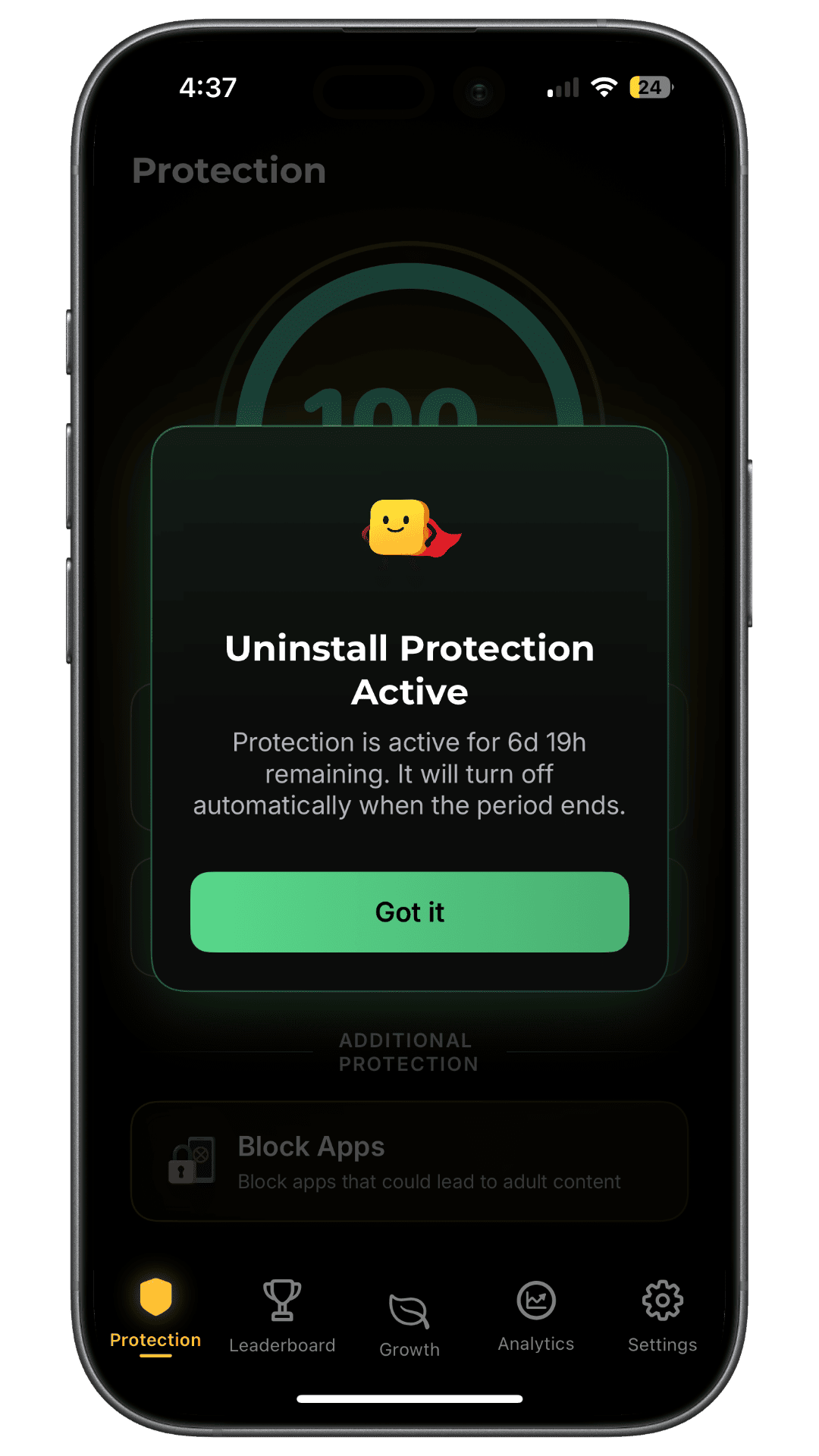
As the confirmation says, it turns off automatically when the period ends. You never have to fight it. You also cannot skip it.
A blocker without this is a door with no lock. Uninstall protection without the filter is a lock on nothing. Turn both on, in the same sitting.
Step 5: Block the apps, not just the websites
Website filtering leaves the routes most people actually use. Social feeds surface the same material inside apps that a web filter never sees.
Use Block Apps to add the specific apps that lead you there. Be honest rather than thorough — three apps you actually open beats twenty you don't.
Step 6: Test it once, then leave it alone
Open a site you expect to be blocked and confirm that it is. Do this once, at the start, so you know the setup works.
Then stop. Repeatedly testing your own protection is usually an urge wearing a lab coat, and "checking whether it still works" is the most common route back in.
What happens when the timer ends
Protection expires on its own. Nothing is deleted, and nothing renews silently — you decide again.
That decision point is worth planning for, because it arrives whether or not you are having a good week. The simplest approach is to start the next period immediately, while you are still in the frame of mind that started the last one.
Does deciding in advance actually work?
Partly, and it is worth being straight about how strong the evidence is.
The general principle — committing in advance so a later, weaker version of you cannot easily renegotiate — has been tested most thoroughly in other domains. A systematic review of commitment-making in weight loss covering ten trials and 1,320 participants found modest benefits: around 1.5 kg greater short-term weight loss, with commitments working better when made publicly. The effects were inconsistent — helpful for dietary goals, not for physical activity — and the authors caution that results "must be interpreted with caution given the complexity and heterogeneity of the interventions, and the identified level of bias."
That is weight loss, not pornography, and nobody has run the equivalent trial here. Treat it as a reason to think precommitment is worth using, not as proof it will work for you.
The second half of the logic rests on firmer ground. A 2026 interdisciplinary review of problematic pornography use describes consistent findings of heightened cue reactivity and attentional prioritisation of sexual cues in people with problematic use — cues capture attention and drive anticipation. If that is the mechanism, reducing how often you meet the cue is a more sensible target than trying to out-argue the response once it has started.
What to check in any blocker
Whether or not you use HAJR, ask these before trusting a product. Most listing pages will not answer them plainly:
- If I delete the app, does the protection go with it?
- Is there an off switch, a pause, or a settings toggle that works immediately?
- If there is a passcode, who holds it? One you set and can recover is a speed bump.
- Can I weaken the configuration while protection is running, or only strengthen it?
- Does it cover apps as well as websites?
- What happens at the end of a period — expire, or renew?
Our comparison of six porn blocker apps works through how different products answer these, and best porn blocker for iPhone covers the criteria in more depth.
What this does not do
Uninstall protection makes an impulsive decision expensive. That is real and useful, and it is not the same as making pornography impossible to reach, which no consumer app on any phone can honestly promise.
What it buys you is distance between wanting something and being able to act on it, so the decision is not taken at the moment of strongest wanting. It does not address why the urge arrived. A blocker that holds through a hard evening is doing its job; it is not doing your recovery.
That is why check-ins, a private calendar and a growth journey sit alongside the protection in the app, and why the protection alone was never the plan. Our complete guide to quitting pornography covers the rest — mapping your pattern, planning for urges, and handling a lapse without discarding everything before it.
Related reading
- How to block porn on iPhone: three practical layers
- Best porn blocker for iPhone: what to look for
- Best porn blocker apps compared
- Porn withdrawal: is what you're feeling normal?
Sources
- Coupe N, Peters S, Rhodes S, Cotterill S. The effect of commitment-making on weight loss and behaviour change in adults with obesity/overweight: a systematic review. 2019. Ten trials, 1,320 participants; modest and inconsistent effects, in a different behavioural domain.
- Ince C, Antons S, Ashton S, Borgogna NC, Brand M, Briken P, et al. Compulsive sexual behavior disorder (CSBD) and problematic pornography use (PPU): a comprehensive, interdisciplinary review. 2026.
- HAJR on the App Store. Feature availability and requirements are shown on the listing and in the app.