
TL;DR
- Install a blocker that works across every browser on the iPhone, not just Safari.
- Turn on adult-content blocking. In HAJR, OnlyFans is blocked automatically. There is nothing to type in.
- Lock it with a timer so it cannot be switched off during an urge.
- Turn on uninstall protection so the blocker cannot simply be deleted.
- Block the social app that leads you there, during the hours you are most at risk.
- Delete the saved OnlyFans password and any Home Screen shortcut.
The whole setup takes about five minutes. Steps 3 and 4 are what make it hold.
This page is iPhone-specific. For every other device, and the routes a site block does not cover, start at how to block OnlyFans on every device.
Step 1: choose a blocker that covers every browser
Blocking OnlyFans only in Safari leaves Chrome, Firefox and every in-app browser open. Whatever you use has to filter web traffic across the phone.
The HAJR iPhone app uses iOS's privacy-preserving device-control frameworks to apply one-click porn blocking across browsers on iPhone. It does not route your browsing through a server or send reports to anyone.
After installing, HAJR asks for an iOS permission it needs to apply blocking. Allow it. Without that permission, no iPhone blocker can filter other apps' browsers.
Step 2: turn on adult-content blocking
Open HAJR's Content Blocker and turn it on. OnlyFans is blocked automatically. HAJR's adult-content blocking is built on Apple's own content-filtering technology, which covers a very large catalogue of adult websites, and OnlyFans is one of them. You do not need to add it.
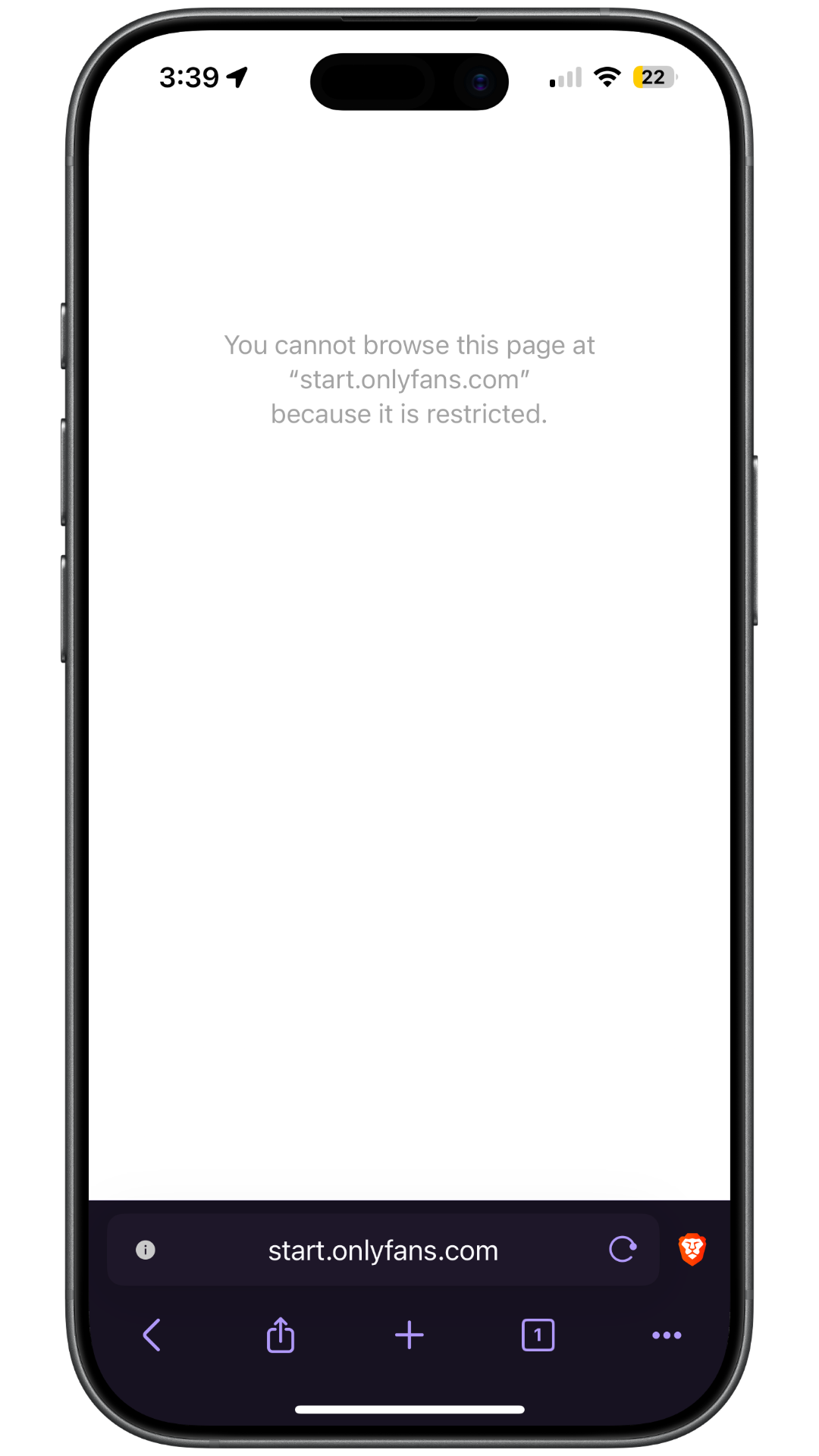
The block applies across browsers, not just Safari:
If you find another site that still loads, add it under Additional Adult Sites. You can type the address with or without https:// or www..
Step 3: lock it with a timer
Choose a duration and start the blocker. Blocking stays locked until your timer ends. It cannot be switched off early from inside HAJR.
While it runs, the list only moves in one direction: you can add sites at any time, but removing them waits for the timer. If you think of another site at 1am, you can still add it. You cannot take anything off, and you cannot switch the adult-content block off early.
How long to choose depends on you. A week is a reasonable place to start. It is long enough to get past the first few difficult evenings, and short enough that you will not be tempted to avoid starting.
Step 4: turn on app uninstall protection
The fastest way past any iPhone blocker is to delete it. Most people who get around a blocker do not hack it. They press and hold the icon.
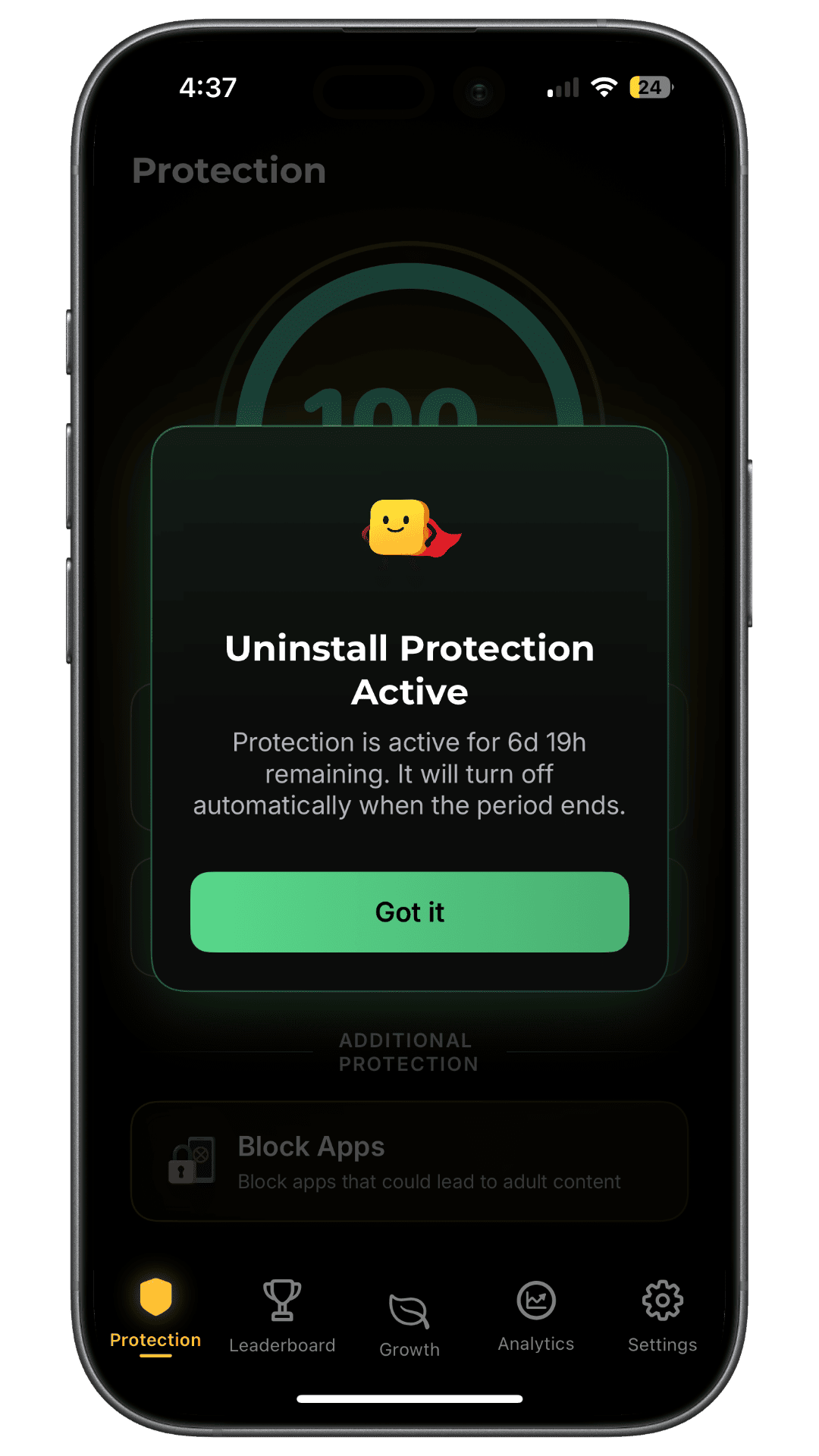
HAJR's app uninstall protection stops HAJR from being deleted until the period you chose has ended, and then turns off on its own.
For more on what makes an iPhone blocker hard to switch off, and how to check any product for it, see iPhone porn blocker that can't be disabled.
Step 5: block the app that leads you there
On iPhone, OnlyFans usually arrives through a link: a creator's post on X, a Reddit thread, an Instagram bio, a Telegram group. A site block stops the page from loading, but the app keeps offering the link.
Use HAJR's trigger-app and site blocking. In App Blocker, choose the apps that keep routing you there and start a session for the hours you are most at risk. Turn on Strict Mode if you want the session to hold until it ends.
Then, in each of those apps, unfollow and mute the accounts that promote OnlyFans. That changes what the app shows you the rest of the time.
Step 6: delete the saved login and any shortcut
OnlyFans has no App Store app. On iPhone it runs in a browser, and some people save it to the Home Screen as a shortcut. If you did, press and hold the icon and remove it.
If your iPhone remembers your OnlyFans password, going back is one tap on a sign-in screen.
Open the Passwords app, find the OnlyFans entry, and delete it. That removes it from the iPhone and, if you use iCloud Keychain, from your other Apple devices. It does not delete your OnlyFans account. To close the account, see how to delete your OnlyFans account. To stop the payments first, see how to cancel an OnlyFans subscription.
Check that it works
Type onlyfans.com into the address bar of each browser on your phone, including a private tab, on Wi-Fi and on mobile data. You land on the sign-in page, not explicit content, so this is a safe check. You should see a message that the page is restricted, as in the screenshot above. Check a link opened from inside a messaging app too.
After the setup
Blocking makes going back slower. The rest is knowing when the pull comes.
HAJR's daily check-ins take a few seconds, and your private calendar and history show the pattern over weeks. You may find it is almost always the same night of the week, or the same hour, or the same app. That is where the next change goes. None of it leaves your phone as a report to anyone.
If the urge comes anyway, what to do when an urge hits is written for that moment. For the wider picture, see OnlyFans addiction: signs and how to stop.
HAJR publishes this guide. HAJR is free to download and requires a subscription for full access.
Frequently asked questions
Can I block OnlyFans on iPhone for free?
Some blockers are free, but check two things before relying on one: whether it covers every browser, and whether you can switch it off the moment you want to. A free blocker you can disable in five seconds is not much protection during an urge.
Will blocking OnlyFans on my iPhone block it on my iPad or Mac?
Not automatically. Set up each device. For laptops, see how to block OnlyFans on a laptop.
Does blocking OnlyFans cancel my subscriptions?
No. Blocking stops the site from loading on your phone. Your subscriptions keep renewing until you turn off auto-renew or delete the account.
Can I block OnlyFans without anyone knowing?
Yes. HAJR is self-directed. It does not send screenshots, browsing reports or alerts to anyone.
Related reading
- How to block OnlyFans on every device
- How to block porn on iPhone
- What is OnlyFans? How it works and what it costs
Sources
- HAJR. HAJR on the App Store.
- Apple. Remove a password from your iPhone and iCloud Keychain. iPhone User Guide.
- Apple Developer. ManagedSettings: WebContentSettings. The iOS framework iPhone blockers use to filter web content across browsers.