
TL;DR
- Check that OnlyFans is covered on every device. On iPhone, HAJR blocks it automatically. In Chrome, add
onlyfans.comto the extension yourself. For every other blocker, test it, because adult-content lists vary. - Phone first. It is usually the device that is always with you, and it is where most late-night use happens. See how to block OnlyFans on iPhone.
- Then the laptop. See how to block OnlyFans on a laptop for Chrome, other browsers, and a system-wide block on Mac or Windows.
- Then the routes a site block misses: creators' promotional accounts on social apps, a saved card, saved logins, and any device you did not set up.
- Make it hard to undo. A block you can switch off in ten seconds will be switched off in ten seconds. Choose one that stays locked for a period you set.
Why blocking OnlyFans takes more than one step
Blocking a site sounds like one action. For OnlyFans it is usually four, because there are four ways back in:
- The site itself, on each device and each browser.
- The way you find it: a creator's link in a bio, a post on Reddit or X, a message in Telegram.
- The money: a saved card makes going back a one-tap decision.
- The device you forgot: an old phone, a work laptop, a tablet.
The rest of this page takes them in order. If you are not sure whether blocking is the right move yet, OnlyFans addiction: signs and how to stop sets out where it fits in a wider plan.
1. Block the site on each device
| Device | What to do | Step-by-step |
|---|---|---|
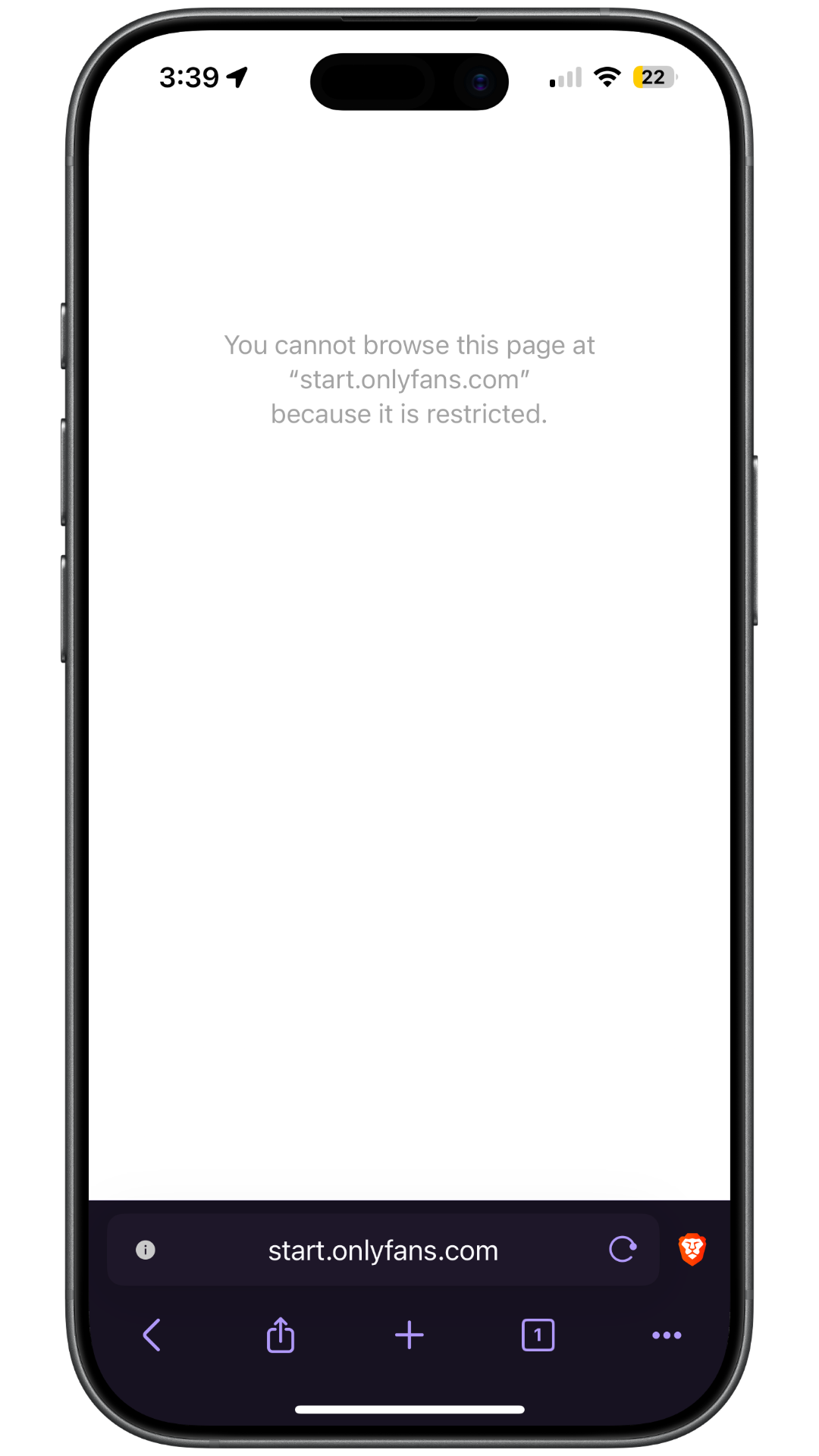
| iPhone | Use a blocker that covers every browser on the phone and lock it for a set period. HAJR blocks OnlyFans automatically | Block OnlyFans on iPhone |
| Laptop (Chrome) | Install a blocking extension and add onlyfans.com to its list |
Block OnlyFans on a laptop |
| Laptop (any browser) | Add a system-wide block on Mac or Windows so every browser is covered | Block OnlyFans on a laptop |
| Android | Use a blocker that filters every browser and lets you add your own sites | Block porn on your phone |
| Home Wi-Fi | Add a network-level filter as a second layer. It does not follow your phone onto mobile data | Block porn on your phone |
Adult-content blockers vary in what they include, so check each one. On iPhone, HAJR blocks OnlyFans automatically. The HAJR Chrome extension needs it added by hand, and so may other products. A site that also hosts non-explicit creators can fall outside some category lists.
If you are also likely to move to a similar platform, add those too. Fansly is the best-known alternative.
HAJR on each device
HAJR covers the two devices most people use.
- On iPhone, the HAJR app's one-click porn blocking covers adult sites across the browsers on your phone, and OnlyFans is blocked automatically. Nothing needs adding. Blocking stays locked until your timer ends. App uninstall protection keeps HAJR on the phone for the same period.
- On a laptop, the free HAJR Chrome extension blocks known adult sites and lets you add your own. Add
onlyfans.comthere: it is not on the extension's built-in list. An optional accountability partner can be asked to approve protection changes, and is notified if the extension is removed.
2. Block the way you find it
Most people do not type onlyfans.com into a browser. They follow a link.
- Unfollow and mute promotional accounts on X, Instagram, Reddit, TikTok and Telegram. Creators promote heavily on these platforms, and following one account tends to bring more into your recommendations.
- Leave communities built around it. Subreddits and group chats that share links are the most direct route back.
- Block the app during the hours it leads you there. If you only ever end up on OnlyFans from one social app late at night, blocking that app after 10pm is more effective than trying to avoid individual posts. On iPhone, HAJR's trigger-app and site blocking does this.
- Check in-app browsers. A link opened inside a social or messaging app may load in that app's own browser. When you test your setup, open a harmless blocked site from inside those apps too.
3. Block the money
If you have an OnlyFans account with a saved card, a site block is only as strong as your patience with a password reset.
- Turn off auto-renew for every creator so nothing keeps charging you. How to cancel an OnlyFans subscription covers how, and how to stop a card being charged if a payment keeps going through.
- Remove the card from the account, or delete the account altogether.
- Ask your bank what it can block. Some banks and card apps let you block payments to a specific merchant or category. Features vary, so check yours.
4. Cover the device you forgot
Go through every device you could use in a weak moment: old phones in drawers, tablets, a work laptop, a games console with a browser. Either set up a blocker on it, sign it out of everything, or put it somewhere that takes effort to reach.
The device you did not set up is the one you will use.
How to test your setup
Do not test by looking for explicit content. Instead:
- Add a harmless site you never use, such as a news site, to your blocklist.
- Check that it is blocked in every browser on every device, including private browsing.
- Open a link to it from inside a messaging or social app.
- Try it on Wi-Fi and on mobile data.
- Try to switch the blocker off, and check that it stays locked.
If the harmless site is blocked everywhere, onlyfans.com is too. Remove the test site when you are done.
Frequently asked questions
Can you block OnlyFans permanently?
No consumer blocker is permanent on a device you own. What you can do is make getting past it slow and deliberate: a block that stays locked until a timer ends, protection against deleting the blocker, and no saved card. Slow is usually enough.
Does a porn blocker automatically block OnlyFans?
It depends on the blocker. HAJR on iPhone blocks OnlyFans automatically. The HAJR Chrome extension does not, so add it there, and test any other product you use.
How do I block OnlyFans for someone else?
This page is written for adults blocking it for themselves. Installing blocking or monitoring on another adult's device without their agreement damages trust and, depending on where you live, may be unlawful. If it is a partner, see is OnlyFans cheating? for how to have that conversation instead.
Related reading
- What is OnlyFans? How it works and what it costs
- How to block OnlyFans on iPhone
- How to block OnlyFans on a laptop
- iPhone blocker that can't be disabled
Sources
- HAJR. HAJR Chrome extension on the Chrome Web Store.
- HAJR. HAJR on the App Store.
- Consumer Financial Protection Bureau. How do I stop automatic payments from my bank account?